Word Madness
Mad Brain Games LTDWord
4.94.58K Reviews
- Version
- 21.74.2
- Installs
- 1.00M
- Age Rating
- Everyone
Screenshots
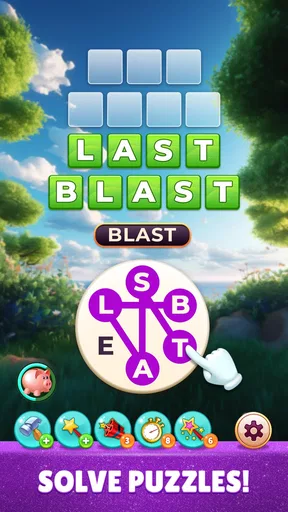

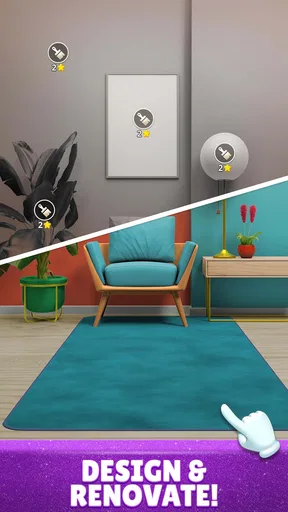
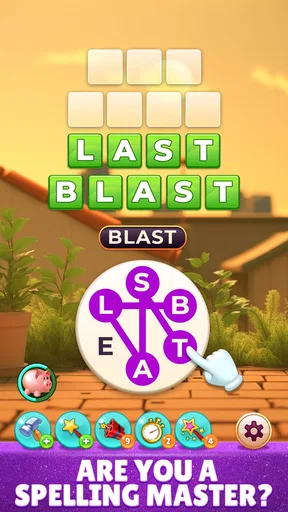
Our Review of Word Madness
 Analysis by Appyee
Have you ever wanted to dive into a world where words mix with puzzles in a dizzying combo of fun and challenge? Well, let me introduce you to Word Madness. I've spent the last few days glued to my screen, fingers tapping away, trying to conquer this game, and let me tell you, it's quite the experience.
Who will enjoy this kind of word puzzle?
I’d recommend this to someone who likes working through a clue or letter puzzle in short bursts, especially if they enjoy spotting several possible words before settling on the one that fits. It can suit a quiet break between errands or a few minutes on the sofa when you want something more active than scrolling but less demanding than a long strategy game. The appeal is in giving your attention to language and pattern recognition, rather than needing a lengthy session to get started.
It is less suitable if you want a carefully paced crossword with a clear clue for every answer, or if you dislike being tested on vocabulary that may be unfamiliar. A traditional crossword is usually better when you want to reason from explicit clues and fill a grid at your own pace. A word-search game, meanwhile, tends to be more relaxing because recognition matters more than producing words. This game is a better fit when you want the more hands-on task of assembling answers and seeing whether your instincts are right.
The Gameplay Experience
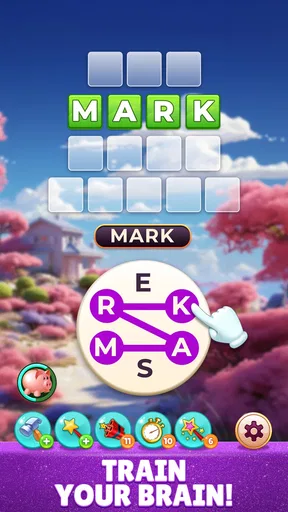
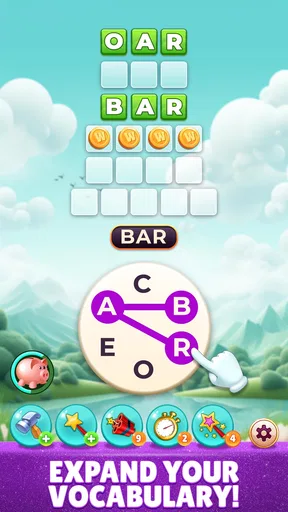
So, here’s the deal with Word Madness: You’re essentially dealing with a word puzzle game, but it’s not your grandma’s crossword. No, this is a high-paced, mind-bending adventure that throws you into a whirlwind of letter tiles, challenges, and levels that keep you on your toes. As you progress, the game ramps up the difficulty, introducing more complex words and sneaky traps that test your vocabulary in ways you didn’t even think possible.
Where a session can snag
The main point of friction is not simply whether you know a word. Sometimes a puzzle can make you pause because you are unsure which arrangement the game expects, or because a word that seems obvious to you does not immediately come to mind. I find it helps to stop swiping for a moment and look at the available letters as a set: try a different starting letter, then check whether a shorter word changes how you see the remaining combinations. That small reset is more useful than repeating the same swipe pattern in frustration.
When an answer feels unfair, I would first ask whether I am assuming a spelling or word form that the puzzle may not accept. In word games, a familiar term can still be a poor fit for a particular board, while an unfamiliar one may be exactly what unlocks it. Treating a stuck moment as a prompt to test another pattern keeps the challenge interesting; treating it as proof that the game is broken can spoil a session unnecessarily.
The game is free to download, so it is easy to try without committing to a purchase. It is made by Mad Brain Games LTD, and its current version is 21.68.0. Optional in-app purchases range from $0.99 to $99.99 per item, so I would keep an eye on any purchase screen and make sure the choice suits your budget before confirming. The game is rated for Everyone, which makes its word-puzzle format broadly approachable, though vocabulary difficulty can still vary from one player to another.
Simple checks before you play
The practical setup is straightforward: make sure your device runs Android 10 or later, then open the game when you have a stable connection if a screen or action seems not to load as expected. I would also check that the app is up to date before troubleshooting further; the current version is 21.68.0. These are ordinary first checks, not a promise that every hiccup has the same cause, but they can rule out avoidable problems before you spend time chasing a puzzle issue.
If the game feels slow, I would close other demanding apps and try again rather than immediately reinstalling it. If a level appears stuck, leave it and return to it, and make sure your taps or swipes are registering as intended. For a purchase prompt, read the displayed amount carefully and avoid tapping through quickly. Those habits are especially useful when playing one-handed or during a rushed break, when accidental inputs are easier to miss.
Visuals and Sound
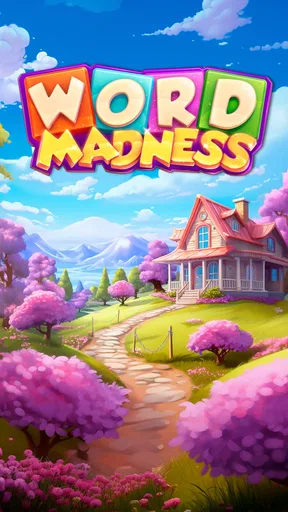
Visually, Word Madness is a treat. The colors are vibrant, keeping your eyes glued to the screen without feeling overwhelming. The animations are smooth, and everything just feels polished. It’s the kind of game that you can play for hours without getting bored, partly because it’s just nice to look at.
And let’s not forget the sound. The background music is engaging but not distracting, and the sound effects add a satisfying pop whenever you nail a particularly tricky word. The audio complements the visuals perfectly, making the whole experience immersive.
A useful way to fit it into the day
Imagine you have ten quiet minutes before a train arrives. This is the sort of window when I would open the game, try a few letter combinations, and stop when the next commitment begins. Word puzzles invite you to keep searching for “just one more” answer, so I find it helps to decide on a stopping point before starting, especially if I am playing during a work break. The game’s short-session appeal is a strength, but that same pull can make a quick pause stretch longer than planned.
For a more deliberate practice routine, I would play with a small goal: notice a word pattern you often miss, or take a moment after a puzzle to think about why a less familiar answer fits. This turns casual play into a light vocabulary exercise without making it feel like homework. It is not the right choice for a player seeking structured lessons or explanations of word meanings; its value is in the puzzle-solving itself.
Why I Keep Coming Back
Now, I know what you’re thinking: “Why should I care about another word game?” Trust me, I’ve had my fair share of word puzzles, but this one is different. It’s the level of challenge that keeps pulling me back in. Each level feels like its own mini-adventure. You’re not just finding words; you’re solving puzzles, overcoming obstacles, and sometimes even competing against friends.
Speaking of friends, the social aspect is a blast. You can connect with buddies, challenge them, and even steal a few bragging rights when you outscore them. It’s a small feature, but it adds a whole lot of fun to the game. Plus, it’s always nice to rub it in a little when you crush your best friend in a word duel.
When the game is not the cause
If a word does not register, I would first check the spelling and try the swipe again with a steadier path. A rushed gesture can be mistaken for a different sequence, particularly when several letters are close together. If a screen behaves oddly, backing out of the current puzzle and reopening it is a sensible basic step. I would avoid repeatedly tapping purchase controls or making several changes at once, since that makes it harder to tell what actually helped.
Some frustration, of course, comes from the puzzle rather than the app. A player who knows mostly everyday vocabulary may meet answers that feel unusually specialized, and non-native English speakers may find that a word’s spelling or less common usage creates an extra hurdle. In that situation, taking a short break is often better than forcing guesses. If you want every answer to be explained or want adjustable difficulty as a central feature, a clue-led crossword or a vocabulary-learning app may be a better match.
What Could Be Improved?
While I’m a fan, no game is perfect. There are moments when the ads can get a little intrusive. I get it, free games need to make money, but it can interrupt the flow, especially when you’re on a roll. A smoother integration of ads or an affordable ad-free version would be a welcomed addition.
Also, for those who are not native English speakers, some words might feel a bit too advanced or obscure, which can be a little frustrating. A difficulty setting could help cater to different skill levels, making it more inclusive.
The game has attracted a 4.9 average from around 50,000 ratings, with over a million installs. That kind of response suggests plenty of players enjoy its particular mix of word challenges, but it does not mean the same vocabulary level or pacing will suit everyone. I would use the rating as a reason to consider giving it a try, not as a guarantee that every puzzle will feel fair or that its ad interruptions will suit your preferences.
Practical verdict
My main tip is to choose the right moment for it. If you want a quick word challenge and do not mind learning through trial and error, it offers a satisfying way to focus your attention. If ads break your concentration easily, or you prefer a calm crossword with explicit clues, you may be happier with another style of word game. Likewise, anyone who finds unfamiliar English vocabulary discouraging should know that the challenge can come from word knowledge as much as from puzzle logic.
It is free to start, while optional purchases are available, so I would treat spending as a personal choice rather than something needed to decide whether the core style appeals to you. The game is suitable for Everyone, but younger players may still benefit from an adult checking purchase prompts. That is ordinary good practice for any game with in-app purchases, not a reason to avoid a word puzzle outright.
Final Thoughts
Overall, this is a delightful mix of challenge and entertainment. It’s perfect for those short bursts of gaming when you’re on a break or even when you want to wind down after a long day. The game is engaging, beautifully designed, and offers just the right amount of challenge to keep you coming back for more.
If you’re a fan of word games, or even if you’ve never considered them before, give Word Madness a try. It might just be the next app you can’t put down!
Verdict
Strengths of Word Madness
- Engaging word puzzles for all ages.
- User-friendly interface enhances gameplay.
- Daily challenges boost cognitive skills.
- Offline mode available for travel play.
- Regular updates with new levels.
Limitations of Word Madness
- In-app purchases can be pricey.
- Occasional ad interruptions.
- Limited hints without purchase.
- Some levels feel repetitive.
- Requires internet for initial setup.
Other Releases by Mad Brain Games LTD
View All

Word Nature Seasons
Word4.9
Similar Picks in This Category
View All
Word Search - Word Puzzle Game
Bluetile4.8

Word Search Quest - Puzzles
Blackout Lab4.8

CodyCross: Crossword Puzzles
Fanatee, Inc.4.7

Words of Wonders: Crossword
Fugo Games4.9

Wordscapes: Word puzzle game
PeopleFun4.7

Word Search Explorer
PlaySimple Games4.9
Frequently Asked Questions
What is Word Madness and how does it work?
Word Madness is a captivating word puzzle game that challenges your vocabulary and problem-solving skills. Players must create words from a set of given letters within a time limit. The game offers multiple levels with increasing difficulty, ensuring both beginners and seasoned wordsmiths find it engaging and rewarding.
Is Word Madness free to play?
Yes, Word Madness is free to download and play on both Android and iOS platforms. However, it offers in-app purchases for additional features such as hints, ad-free experience, and exclusive levels. These purchases are optional, and players can enjoy the core game without spending money.
Does Word Madness require an internet connection?
Word Madness can be played offline, making it a great option for gaming on the go. However, some features like leaderboards and social media sharing require an internet connection. Playing online also enables cloud saving, ensuring your progress is backed up and can be accessed across devices.
What age group is Word Madness suitable for?
Word Madness is suitable for players aged 8 and above. Its intuitive design and varying difficulty levels make it accessible for children, yet challenging enough for adults. The game encourages cognitive development and vocabulary expansion, making it a fun educational tool for all ages.
Are there any accessibility features in Word Madness?
Yes, Word Madness includes several accessibility features to enhance the gaming experience for all players. It offers adjustable font sizes, colorblind modes, and voiceover support. The developers are committed to inclusivity, continuously updating the app to accommodate diverse user needs.
Play our best games!


